
A document management program is your central system for organising all critical paperwork, from Safe Work Method Statements (SWMS) to incident reports. It's not just about storing files; it's about making sure the right document gets to the right person at exactly the right time, without any confusion or delays.
What Is a Document Management Program Really?
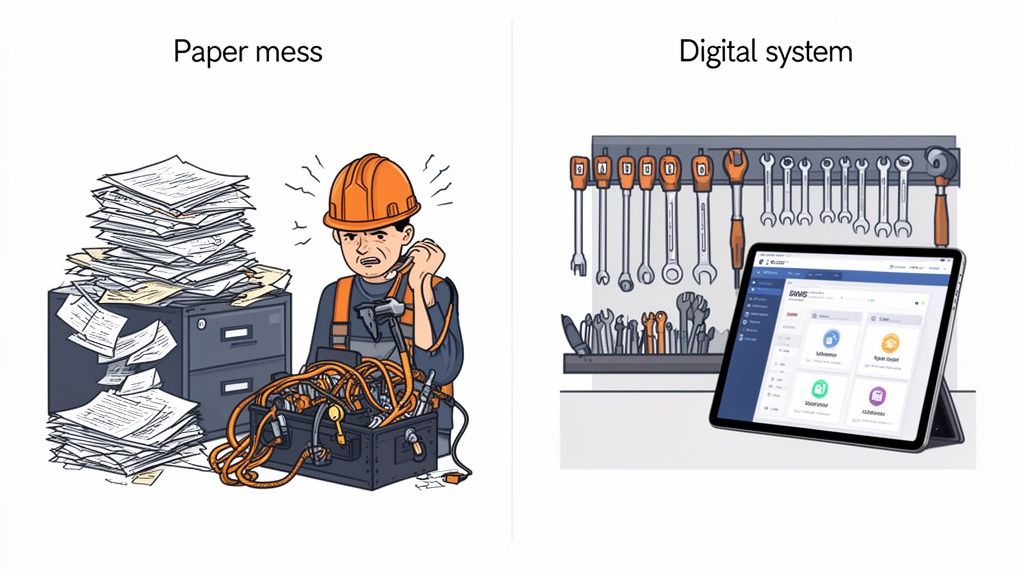
Think about how you handle documents right now. For many businesses, it’s like a messy toolbox. You know the tools are in there somewhere: scattered across shared drives, overflowing filing cabinets, and random spreadsheets, but finding what you need is a real headache.
When you need that specific signed SWMS from three months ago, you're left digging around, wasting time you don't have.
A modern document management program fixes that mess. It turns that messy toolbox into a perfectly organised workshop where every document has a home, is clearly labelled, and can be found in seconds. It becomes the single source of truth for your entire operation. This means everyone, from the site supervisor to the operations director, is working from the same, up-to-date information.
Paper and Spreadsheets vs. a Document Management Program
The difference between wrestling with old methods and using a dedicated system is night and day. Let's break down the practical realities of sticking with paper and spreadsheets versus moving to a purpose-built program.
| Area of Concern | Old Method (Paper/Spreadsheets) | Modern Document Management Program |
|---|---|---|
| Version Control | Multiple outdated copies float around. Nobody is sure which is the latest version. | A single, current version is always accessible. Previous versions are archived automatically. |
| Accessibility | Files are locked in cabinets or on local drives, inaccessible to remote teams or on-site staff. | Documents are available 24/7 on any device, from anywhere with an internet connection. |
| Audit Readiness | A mad scramble to find and organise paperwork. Missing documents are a major risk. | Audit trails are built-in. All required documents are organised and retrievable instantly. |
| Security | Documents are easily lost, damaged by water/fire, or seen by unauthorised people. | Specific access controls ensure only the right people can view or edit sensitive information. |
| Efficiency | Manual, time-consuming processes for approvals, signatures, and distribution. | Workflows are automated, from review and approval cycles to sending reminders for renewals. |
| Subcontractor Data | Chasing subs for certificates and SWMS via email and phone. Tracking expiry dates is a manual nightmare. | A central portal for subcontractors to upload their own documents. Automatic expiry alerts. |
Ultimately, a dedicated program doesn't just store files. It actively manages the information lifecycle, giving you control and visibility that paper and spreadsheets simply can't match.
Moving Beyond Disorganised Files
Relying on old methods creates very real risks. Shared drives lead to version control nightmares where multiple copies of the same document exist and nobody knows which one is current. Paper files? They get lost, damaged, or are useless to team members who aren't physically on-site.
These aren't just minor inconveniences. They become massive liabilities during a compliance audit or an incident investigation when you need to produce accurate records on the spot.
For businesses with multiple sites or a large network of subcontractors, these problems are magnified tenfold. Trying to track certifications, inductions, and project files across different locations using spreadsheets and email is a recipe for error.
A dedicated program isn't a luxury; it's a necessity. It provides the essential structure needed to manage the constant flow of safety and compliance information in demanding environments like construction and manufacturing.
To get this right, you need to understand the fundamentals. Learning about the 10 Essential Document Management Best Practices provides a solid foundation for handling your organisation’s information correctly. This isn't just about finding a new place to save files. It's about building a reliable, auditable, and efficient foundation for your entire operation.
Core Features Your Program Must Have
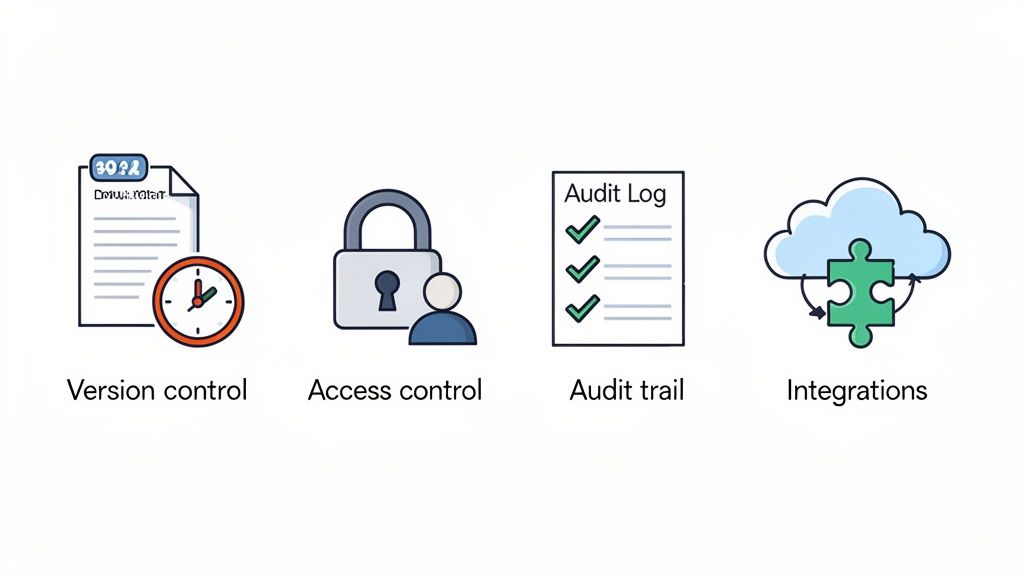
Not all software is created equal. A proper document management program is far more than just a digital filing cabinet. It’s an active tool built with specific features to solve real-world problems on a factory floor or construction site.
To get the control and visibility you actually need, any system you look at must have four non-negotiable pillars. Without them, you’re just shifting your old paperwork headaches into a new, digital location.
Absolutely Crucial Version Control
Version control is all about making sure everyone is working from the same, current playbook. We’ve all seen it happen: a subcontractor arrives on site with an outdated Safe Work Method Statement (SWMS) because that’s what was saved on their laptop. This isn't just an admin error; it's a major compliance and safety risk waiting to happen.
This feature automatically archives old documents and ensures only the most current, approved version is accessible. When a procedure is updated, the system pushes out the new one, preventing dangerous mistakes based on old information. It completely removes the guesswork.
A classic problem is having multiple 'final' versions of a document floating around in different inboxes or folders. With solid version control, there’s only one source of truth, and everyone knows exactly where to find it.
This means a plant manager can rest easy knowing the maintenance crew is following the most recent lockout/tagout procedure, not one from six months ago.
Uncompromising Access Control
Access control dictates who can view, edit, and approve specific documents. Let's be honest, not everyone on a project needs the power to change a high-risk work permit or sign off on a new site safety plan. This feature lets you set specific permissions based on roles.
Think of it like this: you wouldn't hand every worker the keys to the site office. So why would you give every user administrative rights to your most critical safety documents?
Here’s how it plays out in a practical sense:
- Site Workers: Can view and acknowledge SWMS and toolbox talks.
- Supervisors: Can upload incident reports and review daily pre-start checks.
- H&S Managers: Can edit, approve, and archive official policies and procedures.
This level of control is vital for maintaining the integrity of your safety documentation. It ensures only qualified and authorised people can make changes, preventing rogue edits that could have serious consequences. If you want to dig deeper into how these systems work, you can learn more about our document management system software and its specific capabilities.
Rock-Solid Audit Trails
An audit trail is your secret weapon. It’s an unchangeable, time-stamped log of every single action taken on a document: who viewed it, who edited it, who approved it, and exactly when they did it. This feature becomes your best friend during an incident investigation or a compliance audit.
If something goes wrong, you can instantly pull up the complete history of the relevant safety procedure. You can see who signed off on it, when it was last updated, and confirm that every required person viewed the latest version. It provides a clear, factual record that’s incredibly difficult to dispute.
The Australian Document Management Systems (DMS) market is growing fast, especially in sectors like construction and manufacturing. For example, residential building firms in Western Australia, handling thousands of subcontractor safety forms monthly, saw a 35% drop in compliance breach incidents after adopting a DMS. This move away from spreadsheets is critical, especially when you consider Australian businesses were fined a collective $45 million in 2024 for poor record-keeping. It shows just how important clear audit trails are. You can find more insights on Australian DMS market trends on 6wresearch.com.
Smart System Integrations
Your document management program shouldn’t be an island. Integrations allow it to connect and share information with the other software you already rely on, like project management tools, HR platforms, or even accounting software.
For instance, by integrating with your HR system, an employee’s training records can be automatically updated in the document platform the moment they complete a certification. This eliminates huge amounts of administrative work and cuts the risk of human error. It connects the dots between different parts of your operation, making your data more powerful and your processes more efficient.
Key Benefits for Safety and Compliance
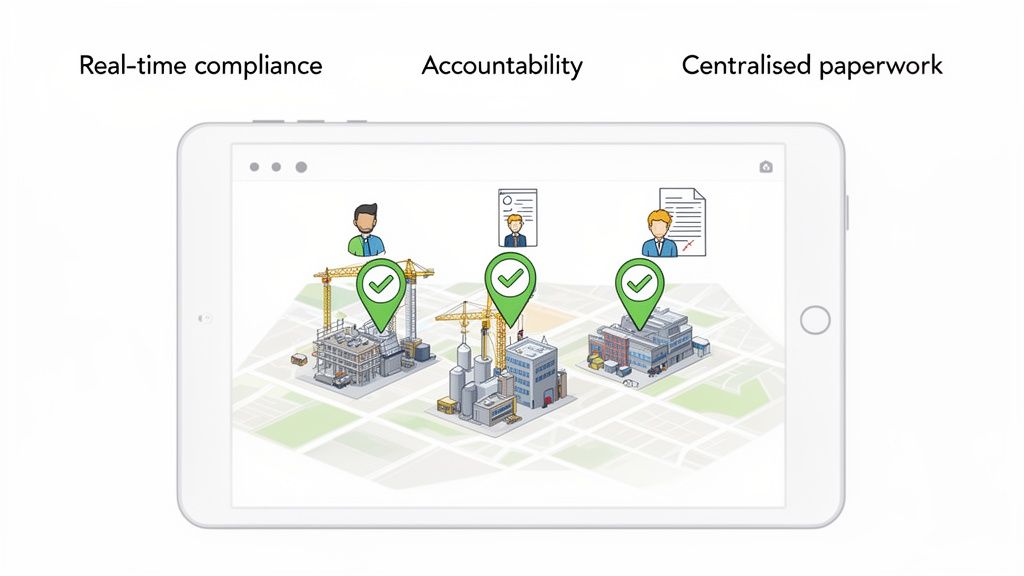
So, we've covered the core features. But what does a document management program actually do for you on the ground? The real value isn't just about being more organised; it's about solving the big, persistent headaches that H&S and operations leaders face every single day.
This is about moving your entire operation from reactive fire-fighting to proactive control. You gain real-time visibility, build clear accountability, and finally get a grip on managing complex projects and scattered teams. The result? Safer sites, smoother audits, and a more efficient business from top to bottom.
Get Real-Time Compliance Visibility
Let's be honest, one of the biggest challenges in any industrial setting is knowing exactly where you stand with compliance at any given moment. A proper document management program acts as a central dashboard, pulling all your critical H&S information into one place.
No more guesswork. No more frantic scrambles the day before an audit. Instead of wondering if the maintenance log for a specific machine is up to date, you can see it instantly.
Picture this: a plant manager gets a surprise visit from a regulator. Instead of digging through filing cabinets in a panic, they pull up complete, time-stamped maintenance records for any piece of equipment on their tablet. In seconds. That's the kind of on-the-spot verification that shows you’re in control.
A proper program means you're always audit-ready. You can stop preparing for audits and start operating in a constant state of compliance, knowing your records are accurate, complete, and right there when you need them.
This visibility is a genuine game-changer. It lets you spot potential gaps, like an expiring certification or a missed inspection, long before they escalate into a serious non-compliance risk. Having this data at your fingertips is a core part of any modern health and safety compliance software.
Build Clear Accountability
"I didn't know," or "I never saw that document." How many times have you heard that? Those excuses simply don't fly when you have a system that tracks everything. This is where a document management program builds undeniable accountability into your processes.
When you issue a new Safe Work Method Statement (SWMS), the system logs precisely who has opened it, read it, and digitally signed to confirm they understand the procedures. It creates a transparent chain of responsibility that leaves no room for doubt.
- Proof of Training: Easily confirm that every team member has acknowledged critical safety updates.
- Approval Tracking: See exactly who signed off on a high-risk permit and when. No more ambiguity.
- Responsibility Trails: If an incident occurs, you can instantly trace the document's history to understand the process that was supposed to be in place.
It means that if a procedure isn't followed, the conversation shifts. You're no longer trying to figure out what happened; you're focused on understanding why the approved process was ignored.
Simplify Subcontractor and Multi-Site Oversight
Managing subcontractors or coordinating work across multiple sites can quickly spiral into a paperwork nightmare. Chasing down insurance certificates, inductions, and site-specific SWMS from dozens of different companies is a massive time-drain and a huge source of risk.
A document management program centralises all of it. It gives you a single portal to manage every contractor and every project location, making your oversight simpler and more effective.
Think of a construction supervisor in Western Australia running a large residential project with thirty different trade contractors. Instead of drowning in emails and chasing phone calls, they can use the program to:
- Automatically collect and track every subcontractor's insurance and licence expiry dates.
- Distribute site induction materials and confirm completion before a single worker steps on site.
- Review and approve contractor-submitted SWMS in one consistent, organised location.
This centralised approach saves hundreds of administrative hours. More importantly, it dramatically reduces the risk of having an uncertified or uninsured contractor on your site, giving you a level of control that’s nearly impossible to achieve with spreadsheets and shared drives.
How to Choose the Right Program for Your Business
Picking the right document management program can feel like a massive chore. With so many options out there, it’s easy to drown in a sea of feature lists and slick marketing promises that have little to do with your real-world needs. The trick is to look past the sales pitch and focus on how a system will actually perform on your factory floor or construction site.
A program might look fantastic in a demo, but if it's too complex for your team to use day-to-day, it's a wasted investment. The best choice isn't always the one with the most bells and whistles; it's the one that solves your specific operational problems without adding a layer of unnecessary complexity.
Go Beyond a Simple Feature Comparison
To make a smart decision, you need a practical checklist that zeroes in on critical business needs, not just technical specs. Before you even think about signing a contract, you need to ask some tough questions about how the software will hold up in your actual working environment.
Here are the essential criteria to consider:
- Scalability: Can the system grow with you? A program that works for one small project should be able to handle five large ones without breaking a sweat. Make sure it can support more users, more documents, and more sites as your business expands.
- User Experience (UX): Is it genuinely easy to use? If your site supervisors need a week of training just to upload a photo, they simply won't use it. The interface has to be intuitive, especially for workers who aren't tech-savvy.
- Mobile Access: Can your team access and update documents from anywhere? The critical work doesn't happen behind a desk. A supervisor has to be able to pull up a SWMS on their phone, and a plant operator needs to complete an inspection on a tablet.
- Customisation: Can you mould it to your workflows? Your business has unique processes and forms. A rigid, one-size-fits-all program will force you to change how you work. Look for a system that lets you build custom forms and approval processes that actually match your operational reality.
Local Support and Regulatory Understanding
Don't underestimate the importance of local expertise. A provider that truly understands Australian Work Health and Safety (WHS) regulations can offer far better guidance and support. They'll know the specific compliance challenges you face and can help you configure the program to meet them head-on.
Interestingly, the Document Digitisation Services industry in Australia, which hit $304.3 million in 2025, is actually shrinking. This points to a major shift away from basic scanning services and toward integrated digital platforms that actively manage compliance. With WHS penalties averaging $250,000 per violation in 2024, a simple digital filing cabinet just doesn't cut it anymore. You need a system built for the complexities of Australian compliance. You can discover more insights about this industry shift at ibisworld.com.
Choosing a partner with local support means you can pick up the phone and talk to someone in your time zone who gets it. When you have a critical issue on site, you can’t afford to wait for a support team on the other side of the world to wake up.
Ultimately, your goal is to find a solution that fits seamlessly into your operation. To cut through the noise, researching the best knowledge base software platforms can provide a clearer path to selecting the right fit. By asking the right questions and putting your practical needs first, you can find a document management program that becomes a genuine asset, not just another piece of software.
A Step-by-Step Implementation Plan
Picking a new document management program is the easy bit. The real challenge? Getting it up and running without grinding your operations to a halt. This is where the rubber meets the road, and it’s a stage where plenty of well-intentioned projects come unstuck.
A successful rollout isn’t about just flicking a switch. You need a clear, practical roadmap that everyone on the team can get behind. By breaking the process down into manageable phases, you can sidestep the usual traps, minimise downtime, and make sure your people actually use the new system from day one.
Phase 1: Planning Your Approach
Before you even think about moving a single file, you need a rock-solid plan. Rushing this stage is the number one mistake we see, and it almost always causes chaos later on.
Start by getting the right people in the room. This isn't just an IT project; it’s an operational shift. That means you need input from the people who will be using it every day: your site supervisors, team leaders, and administrators.
Your first job is to figure out what you’re actually moving. Don't fall into the trap of trying to migrate every document you've ever created. Focus on what’s current and critical.
- Identify Key Documents: Make a list of your non-negotiables. Think current SWMS, incident report forms, plant maintenance logs, and employee certifications.
- Map Your Workflows: How do documents get approved right now? Who needs to sign off on a new safety procedure? You need to map these real-world processes so you can build them into the new system.
- Set a Realistic Timeline: Be honest about how long this will take. Pad your estimates with a buffer for the inevitable curveballs.
Phase 2: Setup and Customisation
With a plan in hand, it's time to build the framework inside your new document management program. This is where you configure the platform to mirror the workflows you mapped out earlier. A good program will be flexible, letting you set it up in a way that makes sense for your business, not the other way around.
The goal is to make the system feel intuitive for your team. Set up user roles and permissions that reflect actual job functions. A subcontractor, for instance, should only be able to upload their own credentials and see general site info. An H&S manager, on the other hand, needs the keys to the kingdom.
This level of customisation makes the system easy to use and locks it down tight.
Getting input from your end-users during this phase is vital. A quick 15-minute chat with a supervisor can reveal a workflow snag you might have missed, saving you hours of headaches down the line.
Phase 3: Migrating Your Data
Data migration sounds intimidating, but it's really just moving your files from the old chaotic mess into your shiny new, organised system. The secret here is to be methodical.
Whatever you do, don't just drag and drop everything from a shared drive into the new platform. This is your one chance for a proper clean-up.
Follow these simple tips for a less painful migration:
- Clean Up First: Before you move anything, get rid of duplicate files and out-of-date documents. There’s no point carrying junk into a brand-new house.
- Start Small: Kick things off with a single department or project as a pilot. This lets you test the process and iron out any kinks on a small scale before you go all-in.
- Validate Your Data: After you move a batch of files, get a team member to double-check that everything is in the right place, opens correctly, and is accessible to the right people.
Underestimating the time this step takes is a classic blunder. We know that poor data organisation is a massive productivity killer, so the time you invest here will pay you back tenfold.
Phase 4: Training Your Team
Finally, you need to bring your team on the journey. A successful adoption lives or dies on the quality of your training. This shouldn't be a single, long, boring classroom session.
Make it practical and role-specific. Show your site supervisors exactly how to find a SWMS on their tablet in under 30 seconds. Show the admin team how to run a compliance report in three clicks.
Keep the training focused on the "what's in it for me" factor. When your team sees that the new document management program makes their job easier, not harder, they’ll be far more likely to embrace it. Provide ongoing support, and create simple, one-page cheat sheets they can refer back to long after the official training is over.
Measuring the ROI of Your Document Management Program
Getting the finance team to sign off on new software can feel like an uphill battle. When you’re pitching a document management program, the secret is to shift the conversation from features to financials. A solid system isn't just another line item on the expense sheet; it's a strategic investment that pays for itself by cutting risks and improving operational efficiency.
Calculating the return on investment (ROI) isn't just about making educated guesses. It really boils down to two kinds of savings: hard savings and soft savings. You'll need to articulate both to build a business case that makes sense to company directors and finance managers.
Hard Savings You Can Bank On
Hard savings are the most straightforward wins. These are the tangible, quantifiable costs you can shrink, or get rid of entirely, with the right document management program in place.
Just think about the direct financial hits your business takes from disorganised, manual paperwork.
- Reduced Compliance Fines: Let's be honest, non-compliance penalties can be absolutely crippling. Dodging just one major safety fine could easily cover the cost of the program for several years.
- Lower Material Costs: This one’s a no-brainer. You'll see a massive drop in spending on printing, paper, ink, and the physical space needed for filing cabinets or off-site archives.
- Decreased Admin Time: When you automate tedious tasks like chasing signatures, filing documents, and tracking expiry dates, you can either reduce administrative headcount or, better yet, free up your admin staff to focus on more valuable work.
Soft Savings That Drive Real Value
Soft savings are all about efficiency. While they might be a bit trickier to nail down to an exact dollar figure, their impact on productivity and project timelines is immense. These are the gains you get from giving your team the tools to work smarter, not harder.
The real power of a document management program lies in its ability to remove friction from your daily operations. It gives your people back the time they used to waste searching for information.
This boost in productivity comes from a few key areas:
- Faster Project Mobilisation: Getting subcontractors started on a new job is so much quicker when all their compliance documents are managed through one central, easy-to-access portal.
- Better Decision-Making: When supervisors and managers have accurate, real-time information right there on their tablet or phone, they can make faster, more informed calls out on site.
- Increased Productivity: Your skilled tradespeople can spend less time drowning in paperwork and more time doing the actual job they were hired for.
The process flow below gives you a clear picture of the steps involved in getting a system like this up and running.
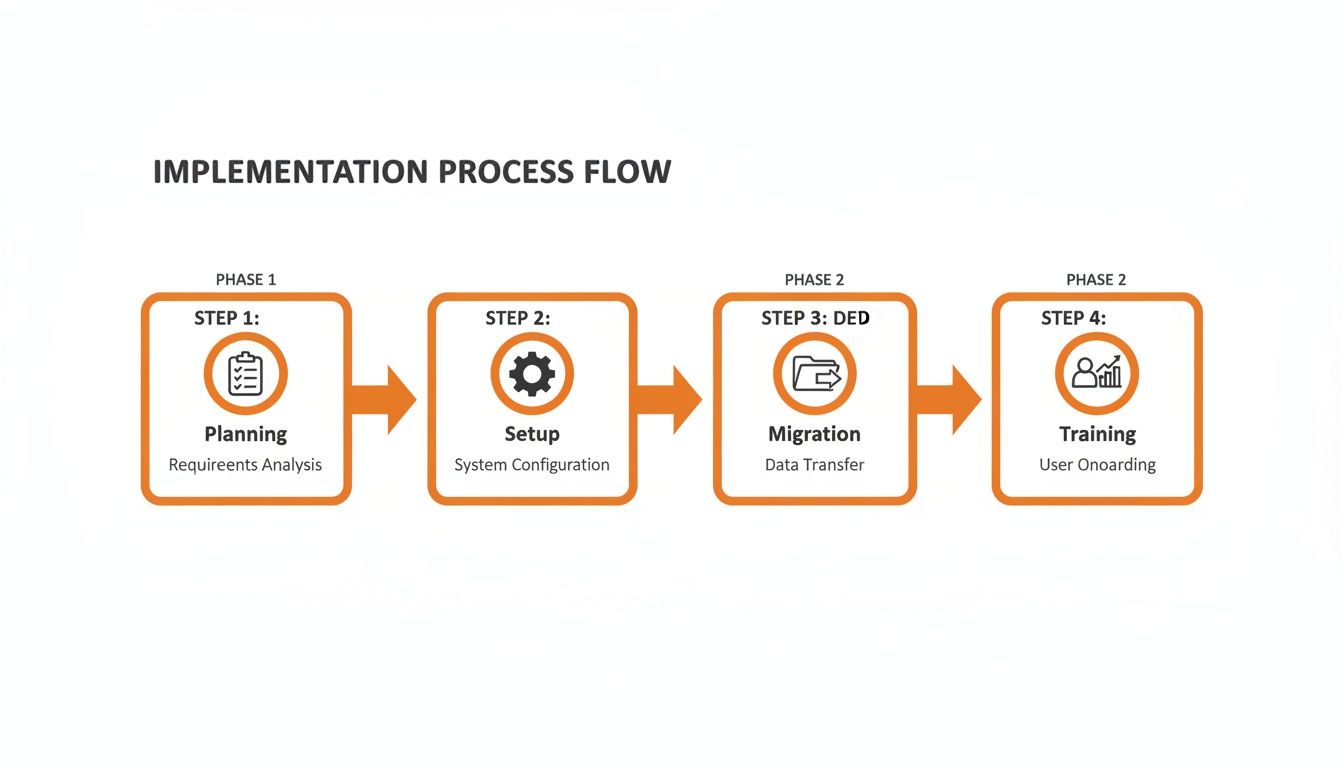
As you can see, a structured approach, from initial planning right through to training your team, is the key to unlocking these savings and getting the most out of your investment.
A Real-World ROI Scenario
Let's paint a picture. Imagine a mid-sized Australian construction company. The Document Analytics Market in Australia is projected to explode from USD 93.29 million in 2024 to USD 277.5 million by 2033, and it's being driven by this exact need to manage risk.
For high-risk industries like construction, this is non-negotiable. You need to be able to verify safety documents and subcontractor compliance on the fly. With average non-compliance penalties for construction firms topping $1.2 million each year, using analytics to spot gaps in risk assessments isn't just a good idea, it's a financial necessity. You can get the full insights on the Document Analytics Market here.
By bringing in a document management program, our construction company avoids just one major fine and manages to cut its subcontractor onboarding time in half. Suddenly, the monthly subscription fee is dwarfed by the massive potential savings. That’s how a simple software tool transforms into a clear net gain for the business. It’s this kind of practical math that makes the business case undeniable.
To see how the right software can support these goals, take a look at our guide on health and safety software.
Common Questions Answered
When you're thinking about a new document management program, it's the practical, real-world questions that matter most. Here are some straight answers to the queries we hear all the time from H&S and operations leaders on the ground.
How Long Does This Actually Take to Get Running?
This is probably the biggest question, and the answer is usually much faster than you’d think. A simple setup for one site can honestly be up and running in a couple of days.
If you’re looking at a more complex rollout across multiple locations with a mountain of old documents to bring across, you might be looking at a few weeks. The real key here is to find a provider who’s hands-on and helps with the heavy lifting, not just one who sells you the software and walks away.
Will My Site Teams Actually Use It?
This is the make-or-break question, isn’t it? Adoption on-site comes down to one thing: simplicity.
If a supervisor can pull out their phone, find a SWMS, or fill out a form in a few taps without needing a half-day training session, they’ll use it. If it’s clunky or complicated, it’ll be ignored. Always look for a system with a dead-simple interface that’s designed for mobile phones and tablets right from the start.
A great tip is to get your site supervisors involved in the selection process. When they have a say in the decision, they’re far more likely to champion the change instead of fighting it.
How Secure Is Our Information?
It's a fair concern, but modern, cloud-based programs are genuinely far more secure than keeping files on a local server or a shared drive in the office.
A good system gives you specific access controls, which is just a fancy way of saying people only see the documents they’re supposed to. On top of that, you get data encryption and automatic backups, protecting your critical safety and compliance records from everything from hardware failure and accidental deletion to someone trying to access information they shouldn't.
What Do We Do with All Our Existing Paperwork?
Almost everyone is in this boat. The good news is you don't have to scan every single piece of paper before you can start. A good implementation plan should map out a sensible way to digitise what you have.
A practical approach looks something like this:
- Start with the essentials: Focus on the active, critical documents first. Think current project SWMS, employee tickets and licences, and plant maintenance records.
- Archive as you go: Work your way through the older, archived files over time. There’s no need to do it all in one hit.
- Ask for help: Some providers offer bulk scanning services to get your most important records into the system without tying up your own team for weeks.
Taking it in stages like this makes the whole transition feel manageable and doesn't bring your day-to-day operations to a halt.
Ready to see how a modern document management program can solve your compliance headaches and simplify your operations? Safety Space offers an all-in-one platform designed for the realities of Australian job sites. Book a free demo and H&S consultation today to get expert setup and see the system in action.
Ready to Transform Your Safety Management?
Discover how Safety Space can help you implement the strategies discussed in this article.
Explore Safety Space FeaturesRelated Topics
Safety Space Features
Explore all the AI-powered features that make Safety Space the complete workplace safety solution.
Articles & Resources
Explore our complete collection of workplace safety articles, tools, and resources.