
A document management system is your single, central library for every critical operational and safety file you have. It replaces chaotic server folders, high-risk spreadsheets, and stacks of paper that create so much risk. It makes sure everyone is working from the right and most up-to-date information.
What is Document Management System Software, Really?
For a Health and Safety Manager in a high-risk industry like manufacturing or construction, it’s the tool that stops you from hunting down the latest Safe Work Method Statement (SWMS). It means you're no longer digging through filing cabinets just to prove a worker finished their training before starting a high-risk task. This isn't just a digital storage bin; it's a practical tool for managing risk.
Think about your worksite. Instead of binders full of paper procedures that might be six months out of date, a worker could scan a QR code on a piece of machinery and get the correct operating guide on their tablet, right there and then. That’s the idea. It's about getting the right information to the right person at the right time, with a solid record of who did what, and when.
Shifting from Paper Piles to a Central Hub
The old way of handling documents is slow, clunky, and full of risk. A single missing signature on an incident report can stall an entire investigation. An outdated procedure left floating around could lead to a serious safety breach. These aren't just minor administrative headaches; they are operational liabilities.
A modern system fixes these problems. It acts as a company knowledge base software, making sure all that crucial information is organised and accessible across the business. It gives you the ability to manage, track, and control all your critical files from one secure, central place.
This shift isn't just about going paperless. It's about creating a single source of truth for your safety and compliance records, making them instantly available for audits, investigations, or day-to-day operations.
Old Methods vs Modern Document Management Software
To see the difference, let’s compare how you might handle common tasks now versus how you could with a proper system. The contrast shows the value it brings to a high-risk worksite.
| Challenge | Old Method (Paper, Spreadsheets) | With Document Management Software |
|---|---|---|
| Finding the Latest SWMS | Searching through shared drives, digging through emails, or asking colleagues, hoping you find the current version. | A quick search instantly pulls up the official, most recent SWMS. Old versions are automatically archived. |
| Proving Training Completion | Manually sifting through filing cabinets or disorganised spreadsheets to find a worker's training certificate. | Pulling up a worker’s complete training record in seconds, complete with dates, signatures, and attached certificates. |
| Incident Reporting | Filling out a paper form, physically chasing managers for signatures, and then manually filing the report away somewhere. | A digital form is completed on-site, automatically sent to the right people for approval, and securely stored for good. |
| Managing Subcontractor Docs | Trying to keep track of insurance certificates and licences in a spreadsheet, which means constant manual follow-ups. | Automated reminders for expiring documents, with a central dashboard showing exactly which contractors are compliant. |
The move to a dedicated system isn't just an upgrade; it’s a fundamental change in how you manage safety and compliance. It shifts your focus from chasing paperwork to preventing incidents.
Core Features That Actually Help on the Job
It's easy to get lost in a long list of technical specs when looking at document management software. The trick is to focus on the tools you'll use day-in and day-out on a busy construction site or manufacturing floor. These features aren’t just about tidying up files; they’re about solving the real-world problems that get in the way of a safe, productive day.
Each of these core functions is built to replace a clunky, manual process that eats up time or creates unnecessary risk. Let’s break down the ones that matter most in a high-stakes environment.
Version Control Guarantees the Right Information
If there's one feature that's absolutely critical, it's version control. This is your guarantee that when a worker pulls up a document, they are always looking at the most current, approved version. Think of it as a master key system for your procedures: there’s only one official copy, and everyone gets access to it.
An old, out-of-date Safe Work Method Statement (SWMS) isn't just a mistake; it's a serious liability. Version control solves this by automatically archiving old documents the moment a new one is approved. A worker on the floor can scan a QR code on a piece of machinery and instantly pull up the correct operating procedure on their tablet, with zero risk of using an obsolete guide. That simple function removes a massive amount of risk from your daily operations.
Access Control Protects Sensitive Data
Not everyone on site needs to see every single file. Access control lets you set specific permissions, giving you complete control over who can view, edit, or approve certain documents. It’s like giving a contractor a key that only opens the door to their specific work area, keeping the rest of the site secure.
For example, you can give a subcontractor access only to their project files and induction forms, while sensitive incident reports or employee records remain locked down. This is vital for protecting private information and making sure people only see what’s relevant to their job. This level of control is nearly impossible to manage with shared server folders or messy email chains.
This is the practical shift a modern system brings: moving from disorganised, risky methods to a secure, centralised platform.
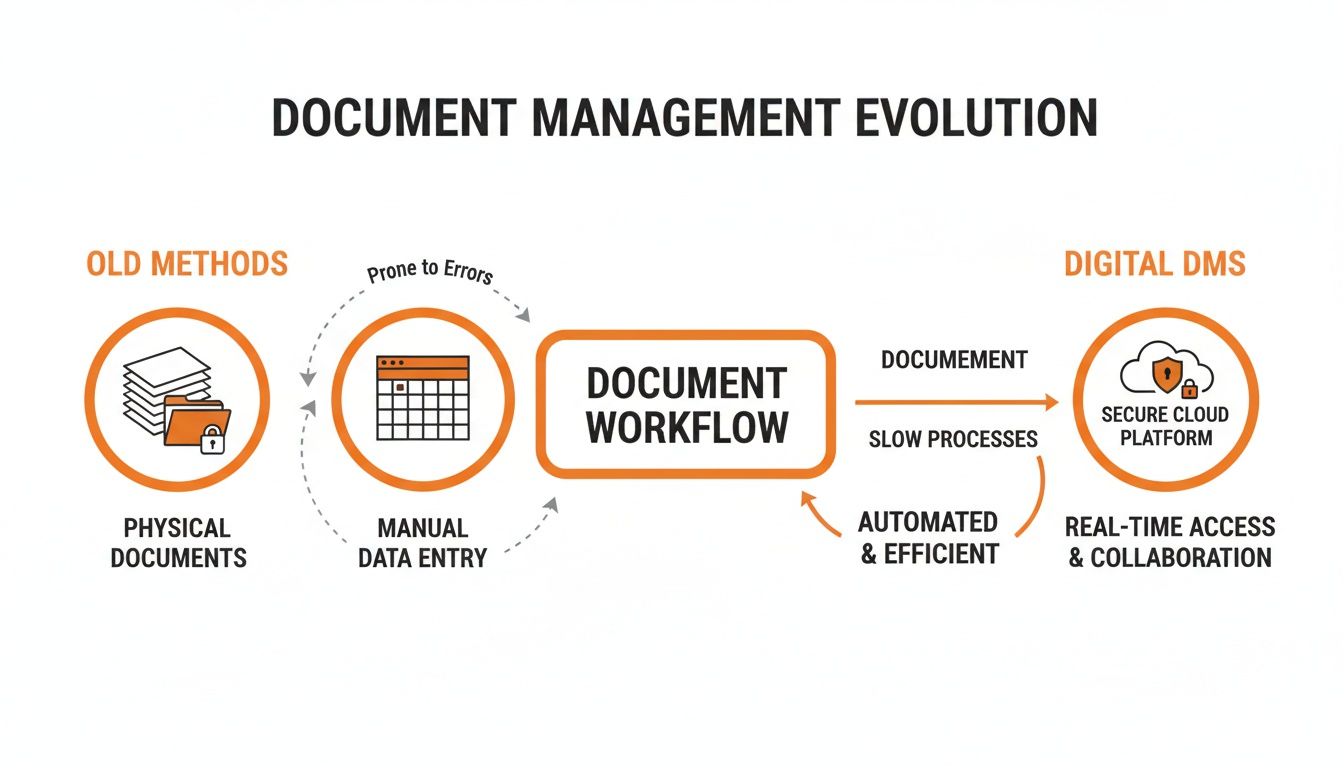
This diagram shows the move away from risky paper stacks and messy spreadsheets into a secure, single source of truth in the cloud.
Audit Trails and Smart Search for Proof and Speed
An audit trail is your digital record-keeper. It automatically logs every single action taken on a document: who viewed it, who edited it, who approved it, and the exact timestamp. This becomes invaluable after an incident. You can instantly prove which workers viewed a specific safety bulletin before starting their shift.
Combine that with smart search, and you make your team more efficient. Instead of digging through a thick binder to find a chemical's safety data sheet (SDS), a supervisor can just type its name into a search bar and have it in seconds. That kind of speed is critical during an emergency and saves countless admin hours every week.
Automated Workflows and Mobile Access
Chasing down managers for signatures is a colossal waste of time. Automated workflows put an end to that by digitally routing documents for review and approval. When a worker submits an incident report, the system automatically sends it to the right supervisor, then to the safety manager, tracking the entire process without anyone having to lift a finger.
Finally, mobile access ties it all together by bringing these features directly to the worksite. Your team can use a tablet or phone to:
- Complete a pre-start checklist on site.
- Access equipment maintenance logs right next to the machine.
- Review architectural plans on a construction site.
- Take photos of a hazard and attach them directly to a report.
This on-the-ground capability makes safety and compliance part of the natural workflow, not some administrative chore saved for the end of the day. And this isn't just a nice-to-have. The document management systems market was valued at USD 8.32 billion in 2025, with cloud-based solutions making up over 70% of that. This shift shows that for Australian businesses, a modern DMS is essential for staying compliant and competitive. Among the core features that help on the job, robust document management capabilities are essential, especially when integrated with the best client intake software for law firms to manage client onboarding and document collection.
Real-World Benefits for High-Risk Industries
It's easy to get bogged down in the technical features, but the true value of a document management system is what it delivers on the ground. For high-risk industries like manufacturing and construction, these benefits aren't just about convenience; they directly impact safety, compliance, and day-to-day efficiency.
This isn't about making small tweaks. It’s about a fundamental shift in how you handle information to cut down on risk and get rid of persistent administrative headaches. Let's look at the real-world results you can expect.
Make Audits Straightforward
We’ve all been there: the mad scramble to prepare for a compliance audit. It’s stressful, disruptive, and pulls people away from their actual jobs. With a proper system in place, that whole fire drill becomes a routine, straightforward task.
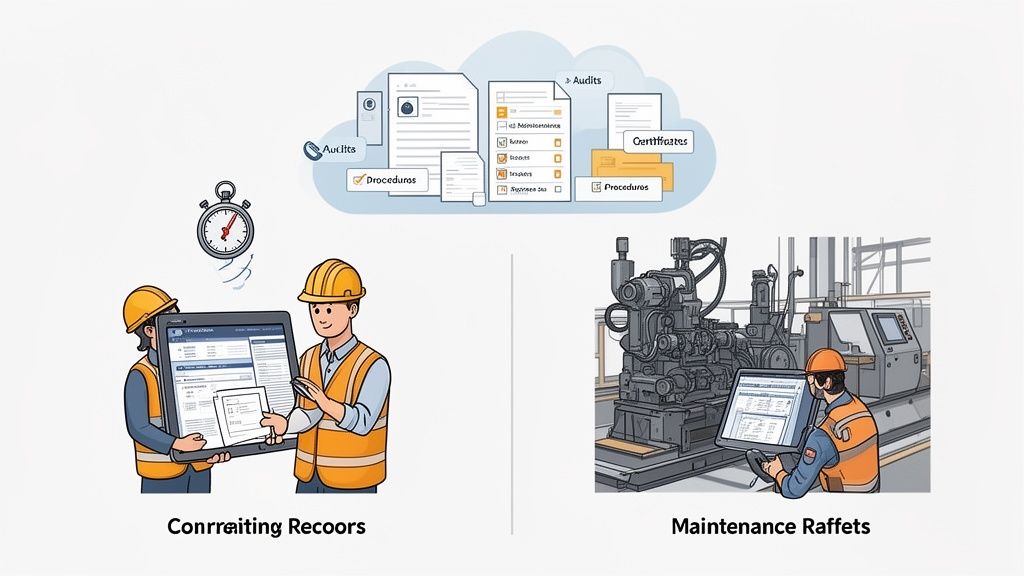
Imagine an auditor asks for proof of training for a specific machine operator. Instead of digging through filing cabinets, you can pull up their complete, signed-off training record in seconds. Need to show the maintenance history for a piece of equipment? The entire log is there, timestamped and searchable.
A good document management system turns an audit from a reactive panic into a routine check. It gives you the confidence to produce any required document on demand, showing a clear, organised approach to compliance.
This shift is happening right across Australia as more businesses move their operations online. The Asia Pacific document management market is set to grow at an impressive 18.43% compound annual growth rate through 2031, a clear sign that industrial firms are embracing digital tools to stay on top of compliance and operational control.
Speed Up Incident Investigations
When an incident happens, every minute counts. A document management system software lets you gather all the relevant information instantly, without the delays that can muddy an investigation.
Picture an incident involving a forklift. Within minutes, you could pull:
- The operator’s complete training and certification records.
- The most recent pre-start inspection checklist for that specific machine.
- The maintenance logs and service history for the forklift.
- The Safe Work Method Statement (SWMS) for the task being performed.
Having this information right at your fingertips means you can conduct a thorough and accurate investigation immediately. You can identify the root cause faster and put corrective actions in place before another incident can occur.
Improve Subcontractor Management
Managing subcontractors on a busy site is one of the biggest compliance headaches. Keeping track of their insurance certificates, licences, site inductions, and SWMS can easily turn into a full-time job run from a messy spreadsheet.
A central system solves this completely. You can give each subcontractor their own portal to upload all required documents. The system can then automatically flag when a certificate is about to expire, sending reminders to both you and them. This gives you a clear, real-time view of who is compliant and ready to work, taking all the guesswork and manual chasing out of the process. For more on this, you can explore our guide on health and safety compliance software and how it helps manage third-party risk.
Reduce Administrative Burden
This might be the biggest win of all: slashing the time spent on administrative work. Every hour spent chasing signatures, filing paperwork, and updating spreadsheets is an hour not spent managing real risks out on the floor. A quality system automates a huge chunk of these tasks.
This frees up your safety managers to be where they're most valuable: out on the worksite, observing operations, talking to workers, and identifying hazards. By cutting down on the office admin, you help your team be proactive about safety, not just reactive to paperwork.
How to Pick the Right Software for Your Business
Choosing the right document management system can feel like a huge task, but it doesn't have to be. By breaking it down into a simple checklist, you can cut through the sales talk and get straight to what matters for your manufacturing or construction business. The goal is finding a tool that solves your problems on the ground, not just one that has the longest feature list.
This whole process is about matching the software’s nuts and bolts to your daily operational headaches. It’s less about finding a mythical "perfect" system and more about finding the right fit for your crew, your sites, and your compliance obligations. A bit of structure here can turn a complicated purchase into a clear, confident decision.
First Things First: Check Integration Capabilities
Before you even look at a single feature, you need to know if the software plays well with others. A system that works in a silo just creates more work, doubling up on data entry and causing headaches. It should act as a central hub for your safety information, not another isolated island.
Get direct with your questions. Does it connect to the project management software your site managers use every day? Can it talk to your HR system to pull training records or employee details? If it can’t link up with your other essential tools, you're signing up for endless manual data entry, which defeats the purpose of getting new software in the first place.
The best document management system should feel like a natural extension of your current workflow, not some clunky new process forced upon your team. Good integration is non-negotiable for getting things done in the real world.
Security and Multi-Site Support
For high-risk industries, security isn't just a feature; it's the foundation of everything. You're handling sensitive data, from confidential incident reports to private employee details. You need solid assurance that this information is locked down from anyone who shouldn't see it.
Look for fundamentals like role-based access control, which is crucial for making sure a subcontractor can only see their own files, not everyone else's. Data encryption is another must-have. At the same time, think about your physical footprint. If you’re juggling multiple factories or construction sites, you need a system built for that reality.
Key Questions for Multi-Site Operations:
- Can you easily split documents by project or location? This is vital to stop Site A’s team from getting bogged down with irrelevant procedures from Site B.
- Does it give you a bird's-eye view of all sites? You need one dashboard where you can see the compliance status across the entire business at a glance.
- Can you set up site-specific permissions and workflows? A workflow for a small workshop will look very different from one needed for a massive infrastructure project.
Trying to manage documents across different locations without a proper system is a recipe for compliance gaps and chaos. If you're looking to understand this better, learning about a comprehensive health and safety software can provide a wider view of how to manage multi-site operations.
Customisable Forms and Offline Access
Your business has its own way of doing things, so you need software that adapts to your process, not the other way around. One of the most practical features to look for is the ability to create customisable digital forms. Can you build your own Take 5s, site inductions, or equipment checklists without needing a developer?
This is the feature that truly replaces the clipboard and pen. It lets you digitise your exact processes, making the switch from paper to digital far less painful for your team. If you get stuck with rigid, pre-built forms that don’t match how you work, your team simply won't use the system properly.
Finally, for any business with teams out on remote sites or spread across massive factory floors, offline access isn't a luxury, it's essential. Wi-Fi can be spotty on a construction site or in the back corner of a warehouse. Your team must be able to fill out forms, pull up key documents, and get their work done without a live internet connection. The software should then sync everything up the moment they're back online. Without that, the system is useless the second someone loses signal.
A Plan to Get Your Team Using the New System
Rolling out new document management system software is much more about people than it is about technology. It doesn't matter how great the system is; if your team doesn't buy in, it’s going to fail. The secret to getting it right from the start is a simple, staged plan that focuses on making their jobs easier.
This isn't about some massive, company-wide launch. A big bang approach almost always creates confusion and resistance. Instead, a successful rollout feels more like a gradual, logical next step that solves real problems for the people using the tools every single day.
Start Small and Solve One Problem
The fastest way to get your team on board is to show them a quick win. Don't try to digitise every single process on day one. Pick one common, annoying paper-based task and focus all your energy there.
Site inductions or pre-start checklists are often a great place to begin. Everyone has to do them, and the paper versions are usually clunky and slow. When you introduce a simple digital form on a tablet, you immediately show your team a better way of working.
Focus on showing your team how the new system removes a headache from their daily routine. When they see it makes their job easier, not harder, they are far more likely to get on board.
Get Feedback from a Small Group
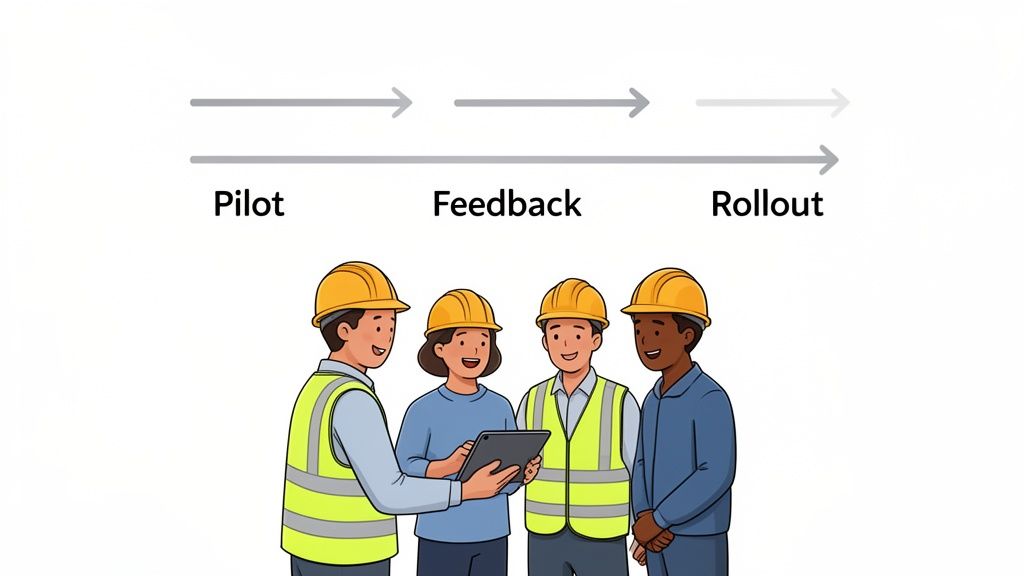
Once you’ve picked your starting process, run a small pilot program with a handful of workers and supervisors. Don't just pick the tech-savvy ones; you need a mix of people, including someone who’s a bit sceptical. This small group is your testing ground.
The goal here is simple: get honest, practical feedback.
- Is the app easy to use on site? The buttons and text must be clear enough to navigate with gloves on or in bright sunlight.
- Does it actually save time? If the digital version takes longer than the old paper form, you’ve got a problem that needs fixing, fast.
- What could be improved? Your team on the ground will spot issues you’d never see from an office.
This feedback is gold. Use it to make adjustments before you even think about a wider rollout. This step proves to your team that you value their input, which is critical for building trust.
Find Your Site Champion
You will almost certainly face some resistance from people who have done things on paper for years. The best way to handle this isn't a top-down mandate, but peer-to-peer influence. In your pilot group, identify a "site champion".
This is usually a respected supervisor or worker who gets the benefits of the new system. They don't need to be a tech expert, just someone who can practically show their colleagues how the software helps. When a doubtful worker sees a trusted teammate getting work done faster, it’s far more powerful than any memo from management.
Keep Training Practical and Hands-On
Forget thick user manuals and long classroom sessions. Training must be short, sharp, and directly related to the tasks your team actually performs. Get people using the software on their own devices, out on the factory floor or construction site.
A good training session might only be 15 minutes long, focused entirely on how to complete a digital pre-start checklist. Let them practice, ask questions, and get comfortable in their real work environment. This hands-on approach builds confidence and makes the new document management system software feel like a useful tool, not a complicated piece of tech.
From there, you can slowly introduce new digital processes one by one, using the same small-group feedback loop each time.
Measuring Success and Common Mistakes to Avoid
So, how do you know if your new document management system is pulling its weight? It's not as complicated as it sounds. The proof is in the practical, day-to-day results you see and in avoiding the common tripwires that can derail the whole project.
Success isn’t buried in a spreadsheet. It’s felt when your team gets time back in their day and the usual frustrations start to disappear. By keeping an eye on a few simple metrics, you can get a clear picture of the value your new system is delivering.
Simple Ways to Measure Results
You don't need to be a data analyst to figure this out. The key is to focus on tangible improvements that make a real difference to your operations.
Start tracking these:
- Time Saved Finding Documents: Just ask your supervisors. Get a rough estimate of how much time they wasted hunting for paperwork before the system, and what that looks like now. Even saving 30 minutes per day for one person is a huge win when you add it all up.
- Reduction in Paperwork Errors: Keep a tally of how many incomplete or incorrect forms get submitted each month. A decent system with required fields and logical workflows should knock this number right down.
- Faster Incident Report Closure: Measure the time it takes to go from an incident being reported to the investigation being completely closed out. Centralising documents and automating approvals will shrink this timeline dramatically.
The goal here is simple: find clear evidence that the software is making your team more efficient and your site safer. These basic checks give you the proof you need without creating another mountain of admin.
Common Mistakes and How to Avoid Them
Knowing where things can go wrong is half the battle won. Many companies stumble over the same, predictable hurdles when they roll out a new system. Let’s make sure you’re not one of them.
1. Picking a System That Is Too Complicated
This is the big one. It's easy to get wowed by a long list of features you'll never use. If the system isn't dead simple for the crew on site to use, they just won't. Always prioritise ease of use over a bloated feature list.
2. Not Getting Input From Your Site Teams
Never choose a system without talking to the supervisors and workers who will be in it every day. What looks slick in a boardroom presentation can be useless on a muddy construction site or a busy factory floor. Their buy-in is everything.
3. Making a Mess of Moving Old Files
Don't fall into the trap of trying to scan and upload every single piece of paper from the last decade. It’s a classic mistake that causes massive delays and frustration. A much smarter way is to start fresh with all new documents and only digitise critical historical records when you need them. To learn more about managing these critical records, our guide to risk and compliance software has some extra practical advice.
4. Forgetting About Ongoing Training
Training isn't a one-and-done event you tick off at launch. People forget, new staff join, and the system gets updated. Plan for quick, regular refresher sessions to keep everyone on the same page and using the system properly.
Frequently Asked Questions
We get asked these questions all the time when talking to H&S managers in high-risk industries like construction and manufacturing. Here are some straight answers.
How Much Does Document Management System Software Typically Cost?
The cost can vary, but most modern systems have moved away from huge upfront fees. Instead, they operate on a subscription model, usually priced per user, per month. This makes it much easier to budget for and avoids a massive capital outlay.
When you’re looking at the price tag, don’t just focus on the monthly fee. Think about the total value. You need to factor in the hours saved on administrative work, the cost you’ll avoid in compliance fines, and the overall boost to your operational efficiency. It’s not just an expense; it’s an investment.
Our Site Has Bad Internet. Can We Still Use a Cloud-Based System?
Yes, as long as you choose a system with solid offline functionality. For any remote industrial site or sprawling construction project, this isn't a "nice-to-have," it's a deal-breaker. A reliable signal is never a guarantee out in the field.
A good system lets your team access key documents, fill out forms, and get their work done on a phone or tablet without any internet. As soon as they're back in range of Wi-Fi or mobile data, the app automatically syncs everything they’ve done back to the central platform. Make sure you confirm this capability before signing on the dotted line.
How Hard Is It to Move Our Old Paper Documents into a New System?
This is the part that often feels overwhelming, but it doesn't have to be. Any decent software provider will have a practical, step-by-step process to guide you. The smartest approach is to simply start fresh. From day one, all new documents go straight into the digital system.
Then, you can tackle the historical stuff strategically. Scan and upload the critical documents as you need them, things like equipment certifications, key training records, or past incident reports.
The key is to avoid the trap of thinking you need to scan every single piece of paper before you can start. Focus on what’s vital for your immediate safety and compliance needs, and build your digital archive from there.
Will My Workers Actually Use This Software?
This is probably the most important question of all. Worker adoption lives and dies by one thing: ease of use. If the software is simple, intuitive, and designed for the person on the tools, they will use it. Look for a clean mobile app that isn't cluttered with features they don’t need.
The best way to get your team on board is by showing them how it makes their job easier, not harder. Replacing a clunky, multi-page paper form with a few quick taps on a screen is a win they'll appreciate immediately. Better yet, involve a few of your trusted team members in the selection process. They’ll become your biggest champions and help get everyone else on board.
Ready to see how a system designed for real-world industrial sites can simplify your compliance and operations? Safety Space offers a customisable platform that replaces paper and spreadsheets, giving you real-time oversight and control. Find out more at safetyspace.co.
Ready to Transform Your Safety Management?
Discover how Safety Space can help you implement the strategies discussed in this article.
Explore Safety Space FeaturesRelated Topics
Safety Space Features
Explore all the AI-powered features that make Safety Space the complete workplace safety solution.
Articles & Resources
Explore our complete collection of workplace safety articles, tools, and resources.